
Released in version: 2016.4.2.0
You can enable a system property to have your system allow payments that exceed the account balance.
To set the system property
- Click Settings > Lists > Application configuration > System properties.
- Locate and double-click the Allow payments that exceed account balance system property.
 You may also right-click the system property and select Properties.
 - To allow payments that exceed the balance, in Value, enter Yes.
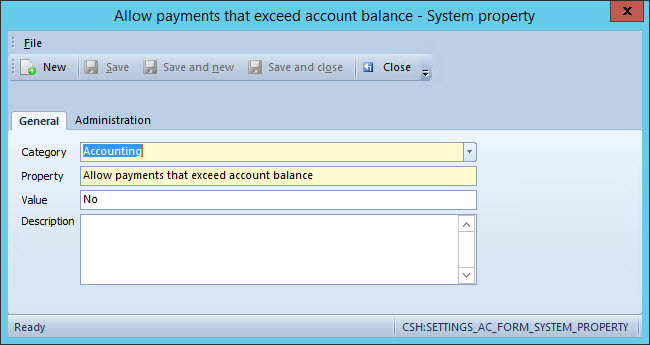 If the system property is set to Yes, when a transaction is submitted using an account with a balance lower than the amount a warning will appear. The warning will indicate that the amount exceeds the minimum account balance. You will not be able to proceed with posting the transaction unless a different account is selected. To set your system to disallow this ability, in Value, enter No. If the system property is set to No, when you submit a transaction using an account with a balance lower than the amount a warning will appear. The warning will indicate that the amount has exceeded the minimum account balance, however, you will still be able to proceed and post the transaction.
 - Click Save and close.
- Close and re-start Primacy Workplace.
Comments
0 comments
Please sign in to leave a comment.