
Updated in version: 5.47
Domicilia types allow you to add, review and maintain domicilia records for a client.
To add domicilia types
- Click Settings > Lists > System-wide codes > Domicilia types.
- Click Add domicilia type.
- Enter values in fields where appropriate. See domicilia type (form) for further information.
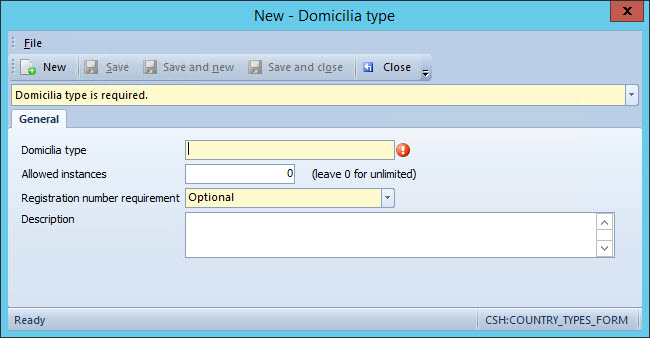
- In Registration number requirement, select Prohibited, Mandatory, or Optional. This setting will determine the status of the Registration number field on the Domicilia form (client Properties > Compliance > Domicilia > Add domicilia.
- When complete, click Save or Save and close.
Comments
0 comments
Please sign in to leave a comment.