
Released in version: 5.47
Updated in version: 2016.4.1.0
Once an asset has been added to the system, it can be purchased, then modified or transferred. However, that scenario only applies when money is exchanged. If no money is exchanged, you have the option to deliver and receive an asset.
To acquire an asset
Before you can deliver or receive an asset, you must add it to the system. See how to acquire an asset for further information.
To deliver an asset
- Quick launch Deliver asset.
 When the form loads, the Value date will default to today's date.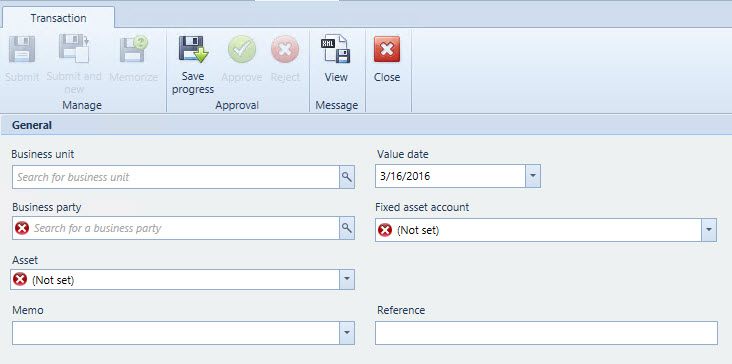
- In Business party, select the client who you added the asset to.
- In Fixed asset account, select the fixed asset account you configured when originally added the asset to.
- In Asset, select the asset you would like to deliver.
- Click Submit.
- Click Approve to finalize the delivery.
Comments
0 comments
Please sign in to leave a comment.